
Modern hotel thermostats are designed to save energy, but at Walt Disney World and Shades of Green, that can create a very real comfort problem for guests.
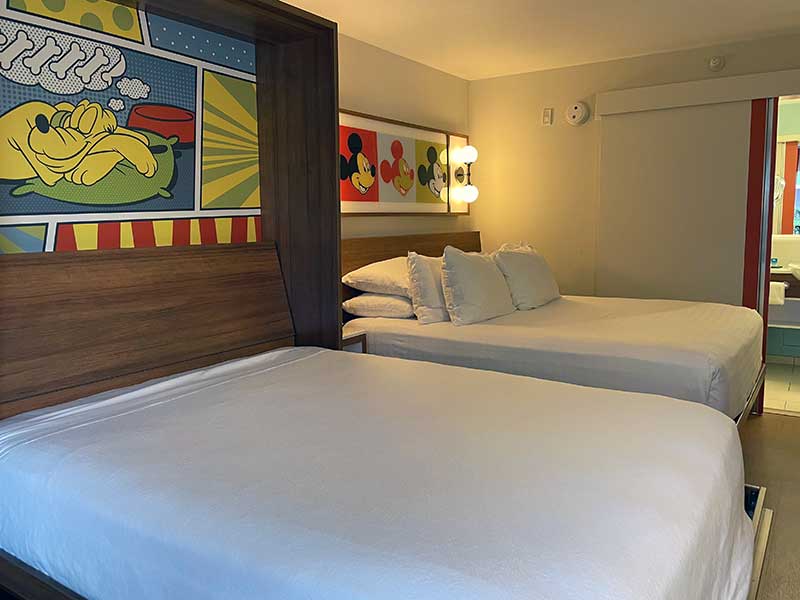
If you have stayed at a Walt Disney World Resort hotel or Shades of Green recently and returned to a warm room after a long park day, you are not imagining things. Many newer hotel thermostats use motion sensors, occupancy settings, and preset temperature limits that can cause the room to warm up when no movement is detected.
That might make sense when a room is empty between guests. But it feels very different when you are the paying guest, you have been walking around in Central Florida heat all day, and your room has reset itself to 76 degrees while you were gone — or worse, while you were asleep.
The Big Issue: Comfort vs. Cost Savings
I understand why hotels want to save energy. Air conditioning a large resort in Florida is expensive, and nobody wants to waste electricity cooling empty rooms. I also understand setting a room to a reasonable temperature between guests.
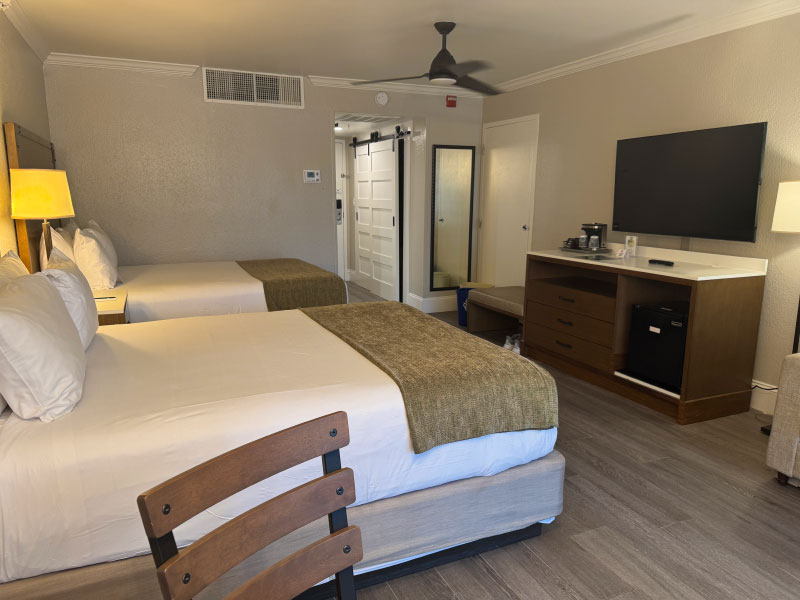
Shades of Green Guest Room
But once a guest has checked in, that room is no longer empty. It is the guest’s room for the night. The cost of cooling that room should already be factored into the room rate. If a hotel is pricing its rooms correctly, utilities are part of the cost of doing business, just like housekeeping, towels, water, and electricity for the lights.
In my opinion, once I have paid for the room, I should be able to set the temperature to a comfortable level for my stay. I am not asking to cool the lobby, the hallway, or an empty ballroom. I am asking to control the temperature in the room I rented.
And at Walt Disney World, this matters even more. Guests often return to their rooms hot, tired, sweaty, and worn out after walking miles in temperatures that can feel well over 100 degrees. A cool room is not just a luxury. It is part of recovering from a long park day.
How Motion-Sensing Hotel Thermostats Work
Many newer hotel thermostats are part of energy-management systems. These systems may use motion sensors, door sensors, or programmed temperature limits to decide whether the room is occupied.
When the system thinks the room is empty, it may automatically adjust the temperature upward to save energy. Some systems also limit how low the guest can set the thermostat.
That is where the frustration begins.
A motion sensor may work reasonably well during the day when people are moving around the room. But when you are asleep, you are not creating much motion. That means the thermostat may decide the room is unoccupied even though you are in bed. The result can be a room that warms up in the middle of the night, leaving you waking up uncomfortable or sweating.
The Walt Disney World Thermostat Problem
Walt Disney World Resort hotels have used several different thermostat systems over the years. Some older rooms had thermostats that guests learned to place into a bypass mode. Newer rooms may have different smart thermostats with different button combinations or hidden settings.
That means there is no single set of instructions that works everywhere.
Your thermostat may vary depending on:
- Which Disney Resort you are staying at
- Whether the room has been recently refurbished
- Whether you are in a standard room, suite, or DVC-style accommodation
- The specific thermostat model installed in that room
Still, there are a few common thermostat types and guest-reported procedures that are worth knowing.
Older Disney Resort Thermostats
Some older Walt Disney World Resort rooms used SensorStat-style thermostats. These are the ones many longtime Disney guests remember because they could often be placed into a temporary bypass mode.
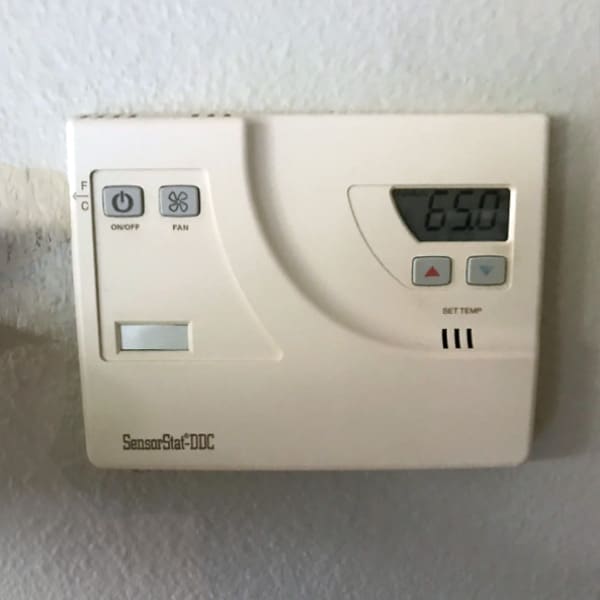
On some of these older thermostats, guests reported that pressing certain buttons together would display “BP,” which stood for bypass. Once in bypass mode, the thermostat would ignore the motion sensor for a period of time, often reported as roughly 24 hours.
Commonly reported methods included:
- Pressing the Power button and Down Arrow at the same time until “BP” appeared
- On some models, holding the F/C button until “BP” appeared
If your thermostat shows “BP,” that usually means the bypass mode has been activated. However, these older systems are not in every room, and Disney can change or replace thermostat models at any time.
Newer Disney Resort Thermostats
Newer Walt Disney World Resort rooms may use a different style of smart thermostat. These often look more modern and may include hidden hotel programming modes.
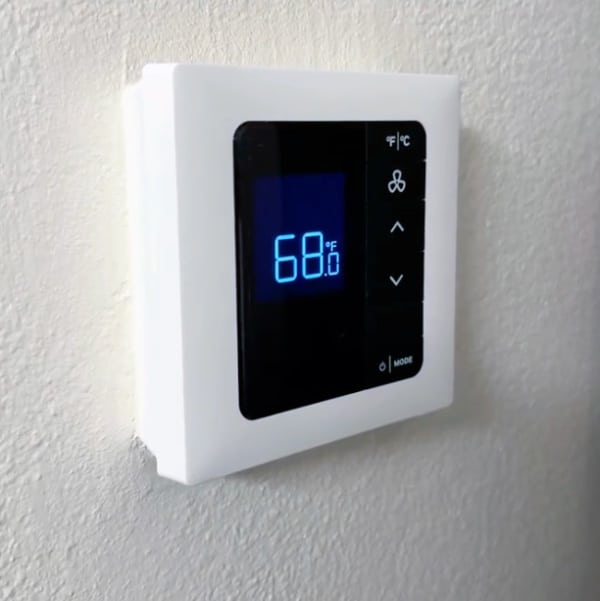
Some guests have reported success with a sequence similar to this:
- Hold the Mode button
- While holding Display, press Off/Auto
- Then press the Up Arrow
Depending on the model, this may unlock additional settings, lower the temperature limit, or place the thermostat into a mode that is less aggressive about motion detection.
Again, this is not guaranteed. If the buttons on your thermostat are different, or if the system has been locked down by the resort, this method may not work.
Need Help Planning Your Disney Vacation?
Disney military discounts can save families a lot of money, but figuring out tickets, eligibility, resorts, Lightning Lane strategies, and transportation can quickly become overwhelming.
That’s why Military Disney Tips recommends The Mouse Experts Military Disney Vacation Specialists.
The Mouse Experts is a military-family owned and operated Disney-specializing travel agency that has partnered with Military Disney Tips for over 17 years. Their agents personally use the same military discounts that you do and understand the unique challenges military families face when planning Disney vacations.
- Experienced with Disney military discounts and eligibility rules
- Military-family owned and operated
- Same Disney pricing as booking directly with Disney
- Additional planning assistance available for guests wanting more personalized help
- Can help reduce stress, save time, and avoid common planning mistakes
Over 27,000 Military Disney Tips readers have contacted The Mouse Experts over the years for help planning their Disney vacations.
Shades of Green Thermostats
During my May 2025 stay at Shades of Green, the thermostat situation was one of the biggest disappointments I have had at the resort.
My room was 76 degrees when I entered. I could not set the thermostat below 68 degrees, and the room reset to 76 degrees when the motion sensor did not detect activity. That was annoying when returning from the parks, but the worst part was overnight.
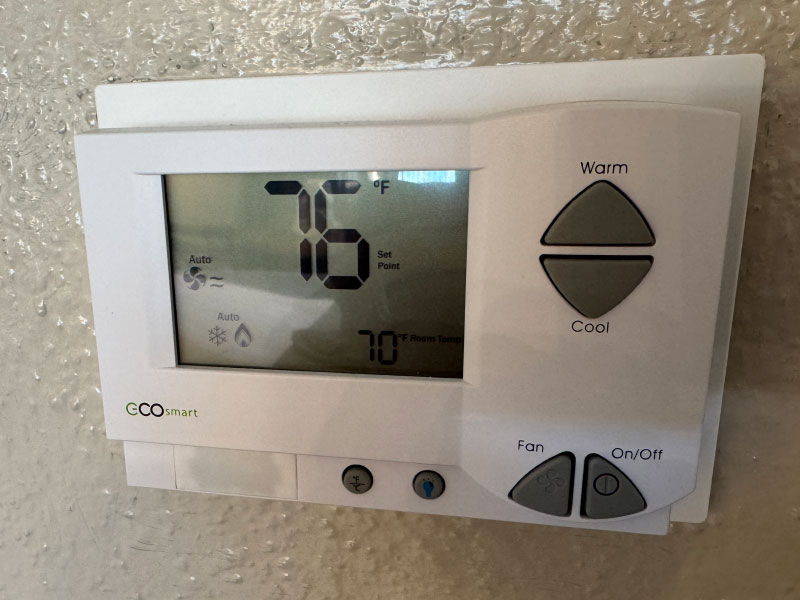
I went to sleep with the room set to 68 degrees and with the covers appropriate for that temperature. Later, I woke up sweating because the room had reset itself to 76 degrees while I was asleep.
That is the part I find unacceptable. It is one thing for a hotel to conserve energy when a room is empty. It is another thing entirely for the system to override a guest’s selected sleeping temperature while the guest is actually in the room.
Some guests have shared thermostat adjustment procedures for the newer Shades of Green thermostats online, including YouTube demonstrations. The exact steps may vary by thermostat model, and I would not assume the same process will always work in every room.
Other Guest Tricks You May Hear About
Over the years, Disney guests have come up with several creative ways to keep hotel room thermostats from thinking the room is empty.
The most famous is probably the balloon trick. Some guests have tied a balloon near the thermostat so the movement from the air conditioning fan creates enough motion to keep the sensor active.
Others have tried:
- Leaving a ceiling fan running, where available
- Placing moving objects near the thermostat
- Using thermostat bypass button combinations
- Calling the front desk or maintenance and asking for assistance
The simplest and most appropriate first step is always to ask the resort for help if your room is uncomfortable. If the thermostat is not cooling properly, if the room feels humid, or if the system is resetting while you sleep, report it. Maintenance may be able to adjust the settings, check the equipment, or confirm whether the system is working as designed.
Should Guests Have to Do This?
Honestly? No.
Guests should not have to search Facebook Reels, YouTube videos, or Disney forums to figure out how to sleep comfortably in a resort room that can cost hundreds of dollars per night.
Energy savings are important, but guest comfort is more important. A hotel room is not just a place to store luggage. It is where guests rest, cool down, recover, and sleep. That is especially true at Walt Disney World, where park days can be physically demanding.
There is a reasonable middle ground. Hotels can use smart systems to avoid cooling truly empty rooms, but those systems should not make occupied rooms uncomfortable. They especially should not reset the room temperature while guests are asleep.
My Take
I have no problem with a hotel setting a room to a cost-saving temperature before I arrive. But honestly, at Walt Disney World, I’m not convinced that approach makes much practical sense. Disney resorts operate at extremely high occupancy rates, and many rooms sit empty for only a short period between guests. By the time the room heats up to the preset temperature, the air conditioning often has to work hard again to cool it back down for the next guest anyway.
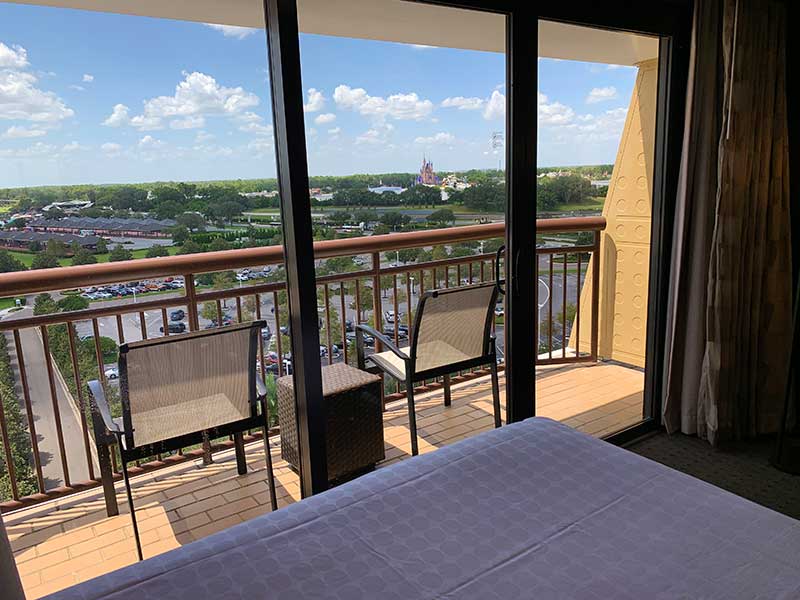
But after check-in, I believe the guest should be able to control the room temperature within a reasonable range. The cost of cooling the room should already be included in the room rate. If a hotel charges resort-level prices but then prevents guests from sleeping at a comfortable temperature, that is not guest-friendly. It feels like the guest is paying for the room while the hotel is still controlling part of the experience to save money.
At Disney, comfort matters. After a long day in the parks, I want to come back to a cool room, take a shower, relax, and sleep well. That should not require a secret button combination.
Final Thoughts
If your Walt Disney World Resort or Shades of Green room feels too warm, you are not alone. Newer thermostat systems are designed to conserve energy, but they can also create real comfort issues for guests.
Try adjusting the thermostat normally first. If that does not work, check whether your room has one of the older bypass-style thermostats or a newer smart thermostat. If the room continues to reset or warm up overnight, contact the front desk or maintenance and ask for help.
Most importantly, do not assume you are being unreasonable. A comfortable room is part of what you are paying for. At Walt Disney World prices — and even at Shades of Green’s usually better military rates — guests should be able to sleep comfortably.
Have you had trouble with a Walt Disney World or Shades of Green thermostat? Did your room reset overnight, or did you find a trick that worked? Share your experience in the comments below.
This article was written by Steve Bell, founder of Military Disney Tips.
Steve is a retired U.S. military member who has been visiting the Disney Parks since 1971 and writing about Disney military discounts and vacations for the military community for over 18 years.
Read Steve’s Full Bio | Follow Military Disney Tips on Facebook
Get Free Disney Military Discount Updates
Stay up to date on Disney and Universal military discounts, ticket changes, resort updates, planning tips, and new guides from Military Disney Tips.
Steve’s free email newsletter helps military families stay informed about the latest Disney and Universal vacation news that matters to the military community.
I was not aware of this but that really sucks. I suppose I am fortunate that I sleep in my own RV at the camp grounds of Disney.
I think I read about someone using a balloon in on of the Universal resorts to keep the A/C sensor activated, so I guess Universal is using these too.
Hi Cara,
Hi heard that trick too.