
Waiting in line for Walt Disney World Attractions is a given. But, waiting in line to eat doesn’t have to be!
The Solution
My Disney Experiences App Mobile Order!
Here is a portion of the Flame Tree Barbecue Menu.
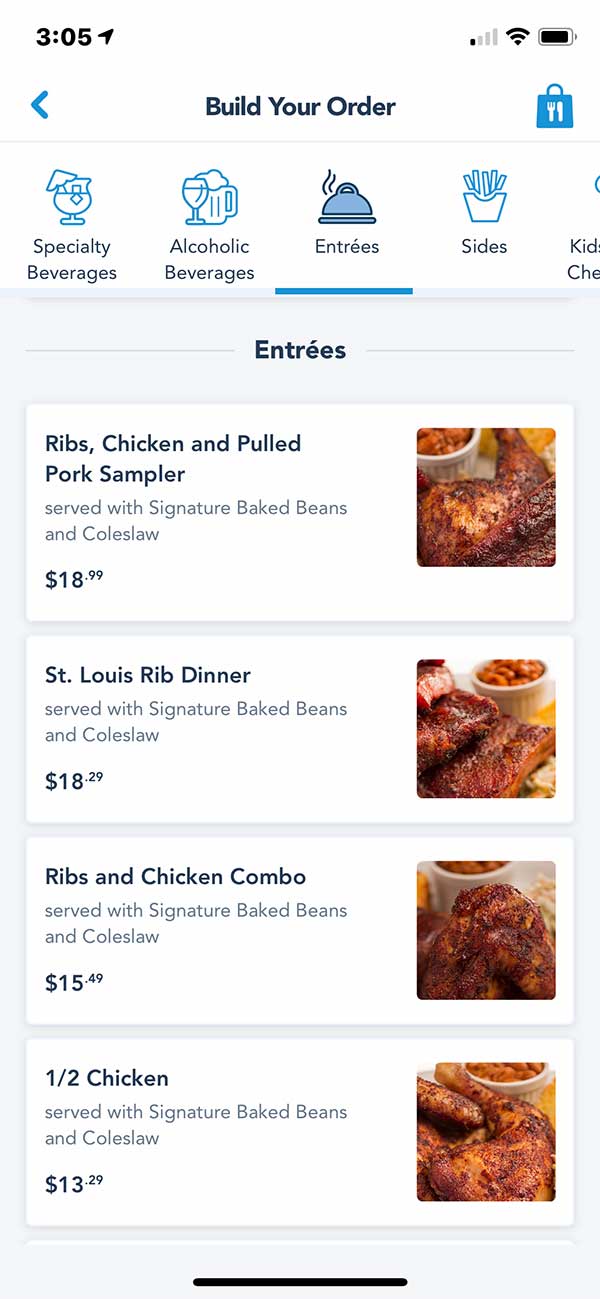
When you use Mobile Order your order will print out ahead of all the people standing in line!
Pretty slick, right?
How to Mobile Order
To order, on your My Disney Experience App:
- Touch the menu icon (three horizontal bars) in the bottom right corner.
- Select Mobile Order Food from the next screen.
- You may need to re-sign in at this point as this transaction involves funds
- The app will retrieve your current orders.
- You’ll probably see “You don’t have any current mobile orders” unless you have one you haven’t picked up.
- Select Create New Order.
- Select the Restaurant.
- Click Order Food.
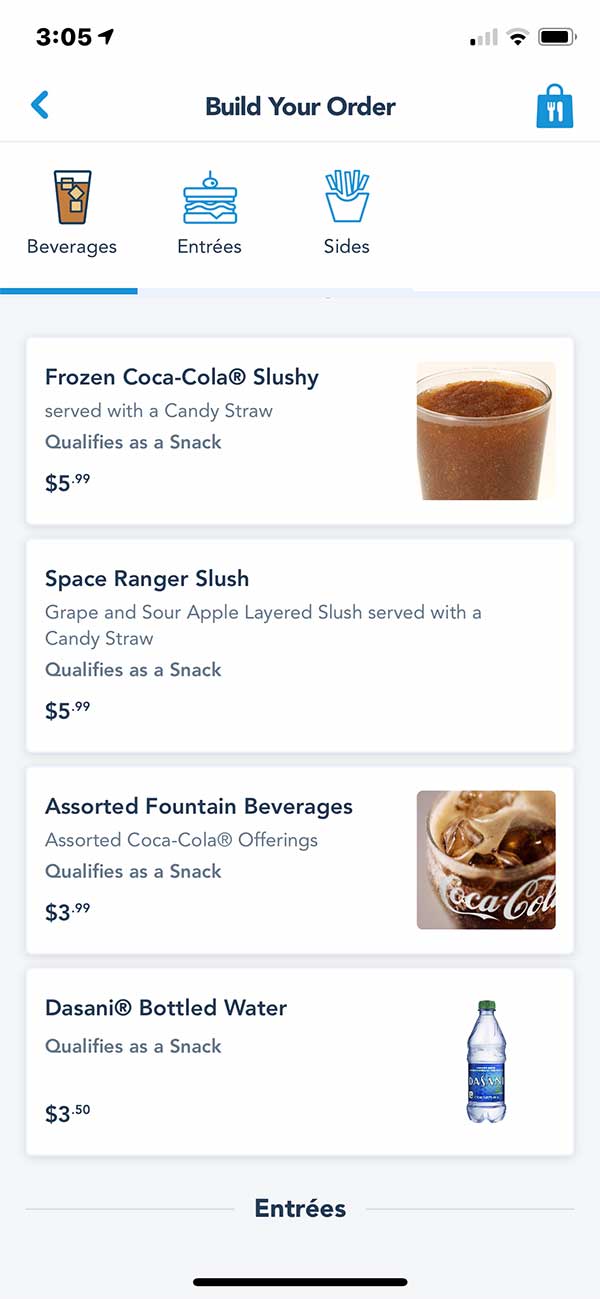
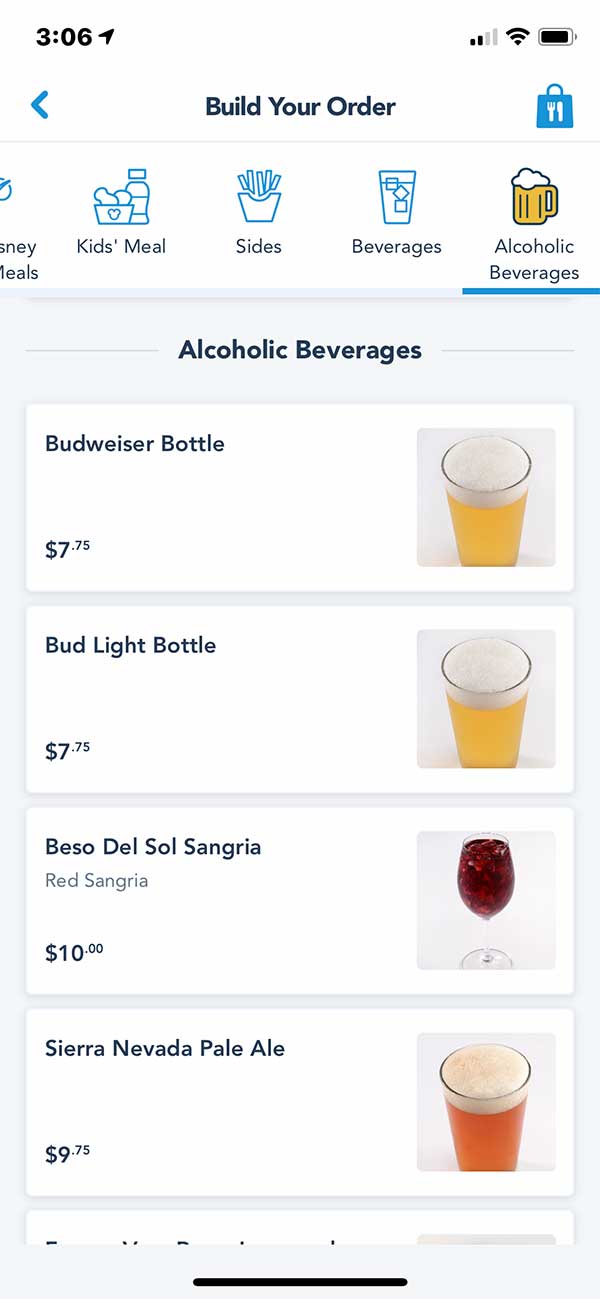
- Then you’ll see a screen like the one above where you’ll select your food and any drink items .
- Just select your items and quantity, customize if there are options, and add them to your order.
- When you are done, click Review Order. You’ll see all the items that you have added to your order. At this point you can click on “Modify Order’ or Order Summery
- Here you can select your payment options (card on file with your Disney.com profile or another) or Disney Dining Plan. You can enter a promo code if applicable as well
- Then click Purchase.
- Then Click I’m Here, Prepare My Order.
Your order will print out to be filled ahead of those still in line!
Then Just head to the Mobile Order Pick Up Window or area and your order will appear soon.
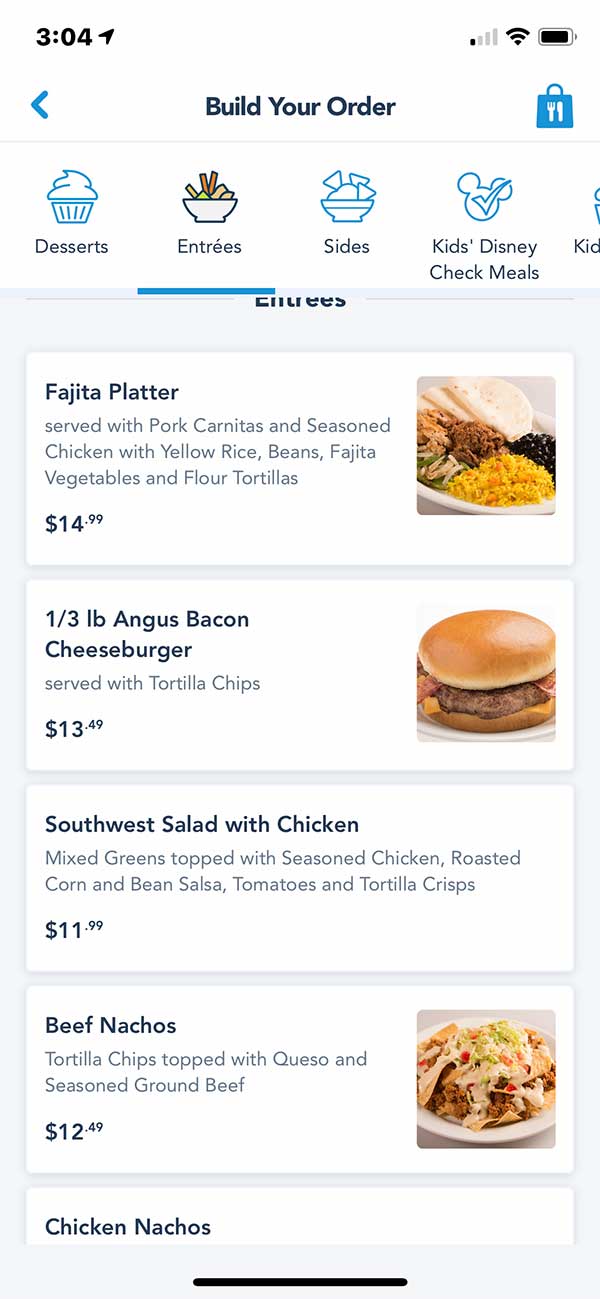
Pecos Bill Mobile Order
You can order from anywhere at any time the restaurant in question is open. Your order will be saved. You just have to pick the order up before the restaurant closes for the day. When you are close to the restaurant go back in the app and click I’m Here, Prepare My Order.
Where Can You Mobile Order Your Meals ?
The two best theme parks for Mobile Order are Disney Hollywood Studios and Disney Animal Kingdom. Epcot really hasn’t implemented Mobile Order much and all the locations in the Magic Kingdom that have mobile order do not serve alcohol.
Note: due to Disney’s reaction to the current health situation, almost every Quick Service location that is open now has Mobile Order!
Participating Theme Park Restaurants:
Magic Kingdom
- Casey’s Corner
- Columbia Harbour House
- Cosmic Rays Starlight Cafe
- The Friar’s Nook
- The Lunching Pad
- Pecos Bill Tall Tale Cafe
- Pinocchio Village Haus
- Sleepy Hollow Refreshments
- Sunshine Tree Terrace
EPCOT
- Connections Eatery
- Regal Eagle Smokehouse: Craft Drafts & Barbecue
- Sommerfest
- Yorkshire County Fish Shop
Hollywood Studios
- ABC Commissary
- Backlot Express
- Catalina Eddie’s
- Docking Bay 7 Food and Cargo
- Dockside Diner
- Fairfax Fare
- Kat Saka’s Kettle
- Milk Stand
- PizzeRizzo
- Ronto Roasters
- Rosie’s All-American Cafe
- Woody’s Lunch Box
Animal Kingdom
Outside the Parks
You can also use Mobile Ordering outside the parks in select locations.
Blizzard Beach
- Avalunch
- Lottawatta Lodge
- Warming Hut
Typhoon Lagoon
- Leaning Palms
- Typhoon Tilly’s
Disney Springs
- Amorette’s Patisserie
- B.B. Wolf’s Sausage Co.
- D-Luxe Burger
Resorts
All-Star Movies Resort
- World Premier Food Court
All-Star Music Resort
- Intermission Food Court
All-Star Sports Resort
- End Zone Food Court
Animal Kingdom Lodge
- The Mara
Art of Animation Resort
- Landscape of Flavors
Beach Club Resort
- Beach Club Marketplace
BoardWalk Inn
- BoardWalk Deli
Caribbean Beach Resort
- Centertown Market
- Spyglass Grill
Contemporary Resort
- Contempo Café
Grand Floridian Resort & Spa
- Gasparilla Island Grill
Polynesian Village Resort
- Capt. Cook’s
Pop Century Resort
- Everything Pop
Port Orleans Resort Riverside
- Riverside Mill Food Court
Port Orleans Resort French Quarter
- Sassagoula Floatworks and Food Factory
Riverside Resort
- Primo Patio
Saratoga Springs Resort & Spa
- The Artist’s Palette
Wilderness Lodge
- Roaring Fork
Yacht Club Resort
- The Market at Ale & Compass
The Campsites at Disney’s Fort Wilderness Lodge (Cabins also)
- Trail’s End Restaurant
Mobile order is a great innovation that lets you bypass the lines of people who don’t know about it or won’t use it!
Over to You!
Have you tried the Mobile Order? Share your thoughts in the comments section below!
Mobile Order at Walt Disney World — FAQ
What is Mobile Order at Walt Disney World?
It’s an in-app way to order and pay for food at many Quick Service locations using My Disney Experience. Choose a pickup time, customize items, pay, then tap “I’m Here, Prepare My Order” so the kitchen starts your ticket.
Why use it instead of the regular line?
Mobile Order tickets are sent to the kitchen ahead of the standby line, so your food typically comes out faster—especially at peak lunch/dinner.
Where can I use Mobile Order?
Across all four theme parks and at many resort, water park, and Disney Springs venues. Examples include:
Magic Kingdom: Casey’s Corner, Columbia Harbour House, Cosmic Ray’s Starlight Café, Pecos Bill Tall Tale Inn and Café, The Friar’s Nook, Pinocchio Village Haus, Sleepy Hollow, Sunshine Tree Terrace.
EPCOT: Connections Eatery, Regal Eagle Smokehouse, Sommerfest, Yorkshire County Fish Shop.
Disney’s Hollywood Studios: Docking Bay 7, Ronto Roasters, ABC Commissary, Backlot Express, Woody’s Lunch Box, Fairfax Fare, PizzeRizzo, Rosie’s All-American Café, Dockside Diner, Kat Saka’s Kettle, Milk Stand, Catalina Eddie’s.
Disney’s Animal Kingdom: Satu’li Canteen, Flame Tree Barbecue, Harambe Market, Restaurantosaurus, Pizzafari.
Water Parks & Disney Springs: Leaning Palms, Typhoon Tilly’s, Lottawatta Lodge, D-Luxe Burger, Amorette’s Patisserie, B.B. Wolf’s Sausage Co., and more.
Resorts: Many food courts/marketplaces such as Everything Pop, Capt. Cook’s, Contempo Café, Centertown Market, The Mara, Gasparilla Island Grill, Landscape of Flavors, The Artist’s Palette, Roaring Fork, The Market at Ale & Compass, etc.
How early can I place an order?
Anytime the restaurant is open in the app. Your order saves to Current Orders until you arrive and tap “I’m Here, Prepare My Order.”
How do I pay?
Use a card on file (or add one during checkout). If the Disney Dining Plan is available to you, you can select it at payment. Promo codes can be applied when offered.
Can I modify or cancel after purchasing?
Before you tap “I’m Here, Prepare My Order,” you can typically adjust items or your arrival window if the location supports it. After the kitchen starts, changes may be limited.
What about allergies or special requests?
Many locations include allergen-friendly menus and customization notes in the app. For severe allergies, request a chef/trained Cast Member at pickup.
Do all Mobile Order locations serve alcohol?
No. Some Magic Kingdom Mobile Order venues do not serve alcohol. Offerings vary by location.
Where do I pick up?
Watch your order status in the app and head to the clearly marked Mobile Order Pick-Up counter/area when it shows Ready.
Any pro tips?
Order before you’re hungry (place it while waiting for an attraction), pick off-peak windows, and only hit “I’m Here, Prepare My Order” when you’re nearby so it’s hot and fresh.
How-To: Use Mobile Order in the My Disney Experience App
- Open the app → Menu (☰) → Mobile Food Orders.
- Create New Order and select a restaurant (search by park/resort if needed).
- Tap “Order Food,” choose your arrival window, then add items and customize.
- Review Order → choose payment (card on file/other, or Dining Plan when eligible) → Purchase.
- When close, tap “I’m Here, Prepare My Order.” This routes your ticket ahead of the standby line.
- Follow the in-app status and pick up at the Mobile Order counter/area.
This article was written by Steve Bell, founder of Military Disney Tips.
Steve is a retired U.S. military member who has been visiting the Disney Parks since 1971 and writing about Disney military discounts and vacations for the military community for over 18 years.
Read Steve’s Full Bio | Follow Military Disney Tips on Facebook
Leave a Reply